


Polymarket API Guide: Gamma, CLOB & Data API (2026)
Everything you need to use the Polymarket API — Gamma, CLOB, and Data API endpoints, authentication, rate limits, WebSockets, and Python examples.
Yes, Polymarket has an API — three of them, actually. Market data is completely free and requires no API key, no authentication, and no wallet. But the documentation is spread across three separate services with different base URLs, and figuring out which one you need is half the battle.
This guide covers all three Polymarket APIs, how they fit together, and working code to get you pulling live odds in under five minutes.
The Three Polymarket APIs at a Glance
Polymarket splits its API surface into three services:
| API | Base URL | What it's for | Auth required |
|---|---|---|---|
| Gamma API | gamma-api.polymarket.com | Discovering events and markets, search, tags | None |
| CLOB API | clob.polymarket.com | Prices, order books, spreads, price history, trading | None for data; wallet auth for trading |
| Data API | data-api.polymarket.com | User positions, trade history, holders, open interest | None |
The mental model: Gamma tells you what exists, CLOB tells you what it costs, Data tells you who's trading it.
Polymarket's Data Model: Events vs. Markets
Before you write any code, understand the two core objects:
- An event is a top-level question, like "Who will win the 2028 Presidential Election?" It contains one or more markets.
- A market is a specific tradable binary outcome within that event — e.g., "Will Gavin Newsom win?" Each market maps to a pair of CLOB token IDs (one for Yes, one for No).
A market's outcomes and outcomePrices arrays map 1:1, and prices are implied probabilities:
{
  "outcomes": "[\"Yes\", \"No\"]",
  "outcomePrices": "[\"0.20\", \"0.80\"]"
}
Index 0 means Yes is trading at 20¢ — a 20% implied probability. Note that both fields are JSON-encoded strings, not native arrays. You'll need to parse them (a common gotcha).
Gamma API: Finding Events and Markets
The Gamma API is where every integration starts. Key endpoints:
| Endpoint | Description |
|---|---|
GET /events | List events with filtering and pagination |
GET /events/{id} | Single event by ID |
GET /markets | List markets with filtering and pagination |
GET /markets/{id} | Single market by ID |
GET /public-search | Search events, markets, and profiles |
GET /tags | Ranked tags/categories |
No key needed:
curl "https://gamma-api.polymarket.com/events?limit=5&active=true&closed=false"
In Python:
import requests

resp = requests.get(
    "https://gamma-api.polymarket.com/events",
    params={"limit": 10, "active": "true", "closed": "false", "order": "volume", "ascending": "false"},
)
for event in resp.json():
    print(event["title"], "-", event.get("volume"))
CLOB API: Prices, Books, and History
Once you have a market's CLOB token ID, the CLOB API gives you live pricing:
| Endpoint | Description |
|---|---|
GET /price | Price for a single token |
GET /prices | Prices for multiple tokens |
GET /book | Order book for a token |
POST /books | Order books for multiple tokens |
GET /prices-history | Historical price data |
GET /midpoint | Midpoint price |
GET /spread | Bid/ask spread |
import requests

token_id = "YOUR_CLOB_TOKEN_ID"  # from the market object's clobTokenIds field
book = requests.get("https://clob.polymarket.com/book", params={"token_id": token_id}).json()
print("Best bid:", book["bids"][0], "Best ask:", book["asks"][0])
A market is tradable via the CLOB when enableOrderBook is true on the market object.
Data API: Positions, Trades, and Whales
The Data API exposes on-chain activity:
| Endpoint | Description |
|---|---|
GET /positions?user={address} | Current positions for a wallet |
GET /activity?user={address} | On-chain activity for a wallet |
GET /trades | Trade history |
GET /holders | Top holders of a market |
GET /oi | Open interest |
This is the raw feed behind "whale watching" — if you want pre-computed smart money signals instead of building wallet tracking from scratch, that's exactly what Prediction HuntPrediction.com's Smart Money feed and WebSocket channel provide.
Do You Need a Polymarket API Key?
For market data: no. All three read APIs are public.
For trading: yes, sort of. Placing orders through the CLOB requires wallet-based authentication — you derive API credentials from your Polygon wallet's private key using the official py-clob-client library, and you'll need USDC on Polygon with token allowances set. Trading is where most of the complexity (and most of the "polymarket api key" confusion) lives. See our Polymarket trading bot tutorial for the full walkthrough.
Polymarket API Rate Limits
Polymarket enforces per-endpoint rate limits that vary by service and can change — check the official docs for current numbers before going to production. Practical tips that hold regardless:
- Batch requests where endpoints support it (
GET /prices,POST /books) instead of looping single calls. - Use the WebSocket feed for live prices rather than polling REST.
- Cache Gamma metadata (event/market structure changes far less often than prices).
WebSockets: Streaming Instead of Polling
Polymarket offers a WebSocket service for real-time CLOB updates (order book changes, price updates, trades). For a bot or dashboard, streaming is strictly better than polling: lower latency, no rate limit pressure.
The Catch: Polymarket Is Only One Platform
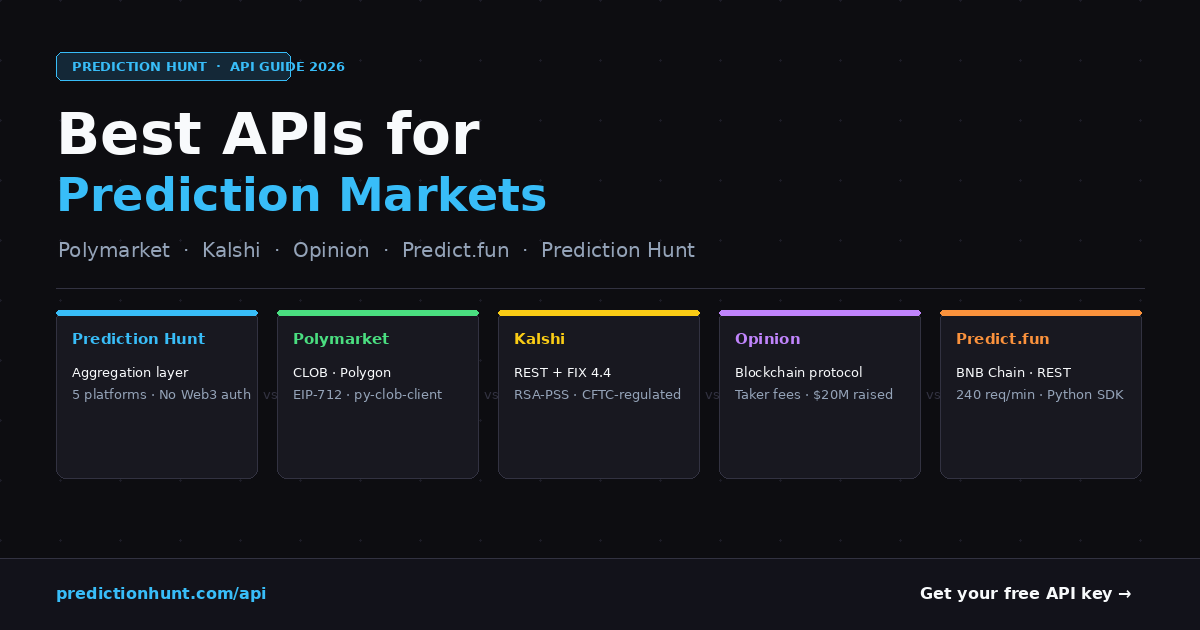
Here's the thing about building on the Polymarket API directly — the moment you want context, you're integrating again. Is 42¢ for Trump on Polymarket a good price? You can't know without also checking Kalshi, PredictIt, and the rest. Each has its own API, auth scheme, data model, and naming conventions (presidential-2028 on Polymarket is PRES-2028-DEM on Kalshi is #8102 on PredictIt).
That's the problem the Prediction HuntPrediction.com API solves: one API, 6 platforms, with cross-platform entity resolution built in — the same event automatically matched across every platform:
curl -H "X-API-Key: YOUR_API_KEY" \
  "https://prediction.com/api/v2/search?q=presidential+election"
One call returns the same market's price on Polymarket, Kalshi, PredictIt, ProphetX, and more, so you can spot the best price (or an arbitrage gap) instantly. The free tier includes 1,000 requests/month with no credit card.
Want Polymarket, Kalshi, PredictIt, and 3 more platforms in a single API call? Get a free Prediction HuntPrediction.com API key — 1,000 requests/month, no credit card required.
Frequently Asked Questions
Does Polymarket have an official API?
Yes. Market data is free via the Gamma, CLOB, and Data APIs with no authentication. Trading requires wallet-based auth.
Is the Polymarket API free?
Yes, for reading data. There are no paid tiers for market data — just rate limits.
Where is the official Polymarket API documentation?
docs.polymarket.com. This guide consolidates the essentials; the official docs have full parameter schemas.
How do I get Polymarket historical data?
The CLOB API's /prices-history endpoint returns historical prices per token, and the Data API's /trades returns trade history. For cross-platform historical data, the Prediction HuntPrediction.com API's /api/v2/prices/history endpoint returns OHLC candles across Polymarket, Kalshi, and more.
Can I build a trading bot with the Polymarket API?
Yes — via the CLOB API and py-clob-client. Placing orders requires wallet-based authentication with API credentials derived from your Polygon wallet's private key, plus USDC on Polygon with token allowances set.
Build with this data
Automate your strategies, create arb bots, or build your own dashboard. Free tier includes 1,000 requests/mo across all prediction market platforms.
Free Trading Tools
View allCompare fees across Kalshi, Polymarket & PredictIt.
Find fair probabilities with the overround removed.
See if a trade has positive EV before you enter.
Convert American, decimal & implied probability.
Combined odds and payouts for multi-leg bets.
Your real take-home after fees and taxes.
Related Posts

Polymarket & Kalshi Historical Data: Free Sources & APIs
Every source for Polymarket and Kalshi historical data — free API endpoints, candlesticks, trade history, on-chain data, and unified options.
4 min readReadBest API for Prediction Markets in 2026 (Kalshi, Polymarket)
Compare the best prediction market API in 2026: Polymarket API, Kalshi API, PredictIt, Predict.fun and Prediction HuntPrediction.com's unified cross-platform data API.
16 min readRead
Best Crypto Prediction Markets in 2026
Where to trade bitcoin and crypto event contracts in 2026: Polymarket, Kalshi, Limitless, and Myriad compared on regulation, liquidity, and product depth.
4 min readRead